Projects Admissions
The application builder
Every program's admissions application was a PDF, a web form we built for them, or both. Now the admissions team builds their own, and what families submit lands in the chart already mapped.
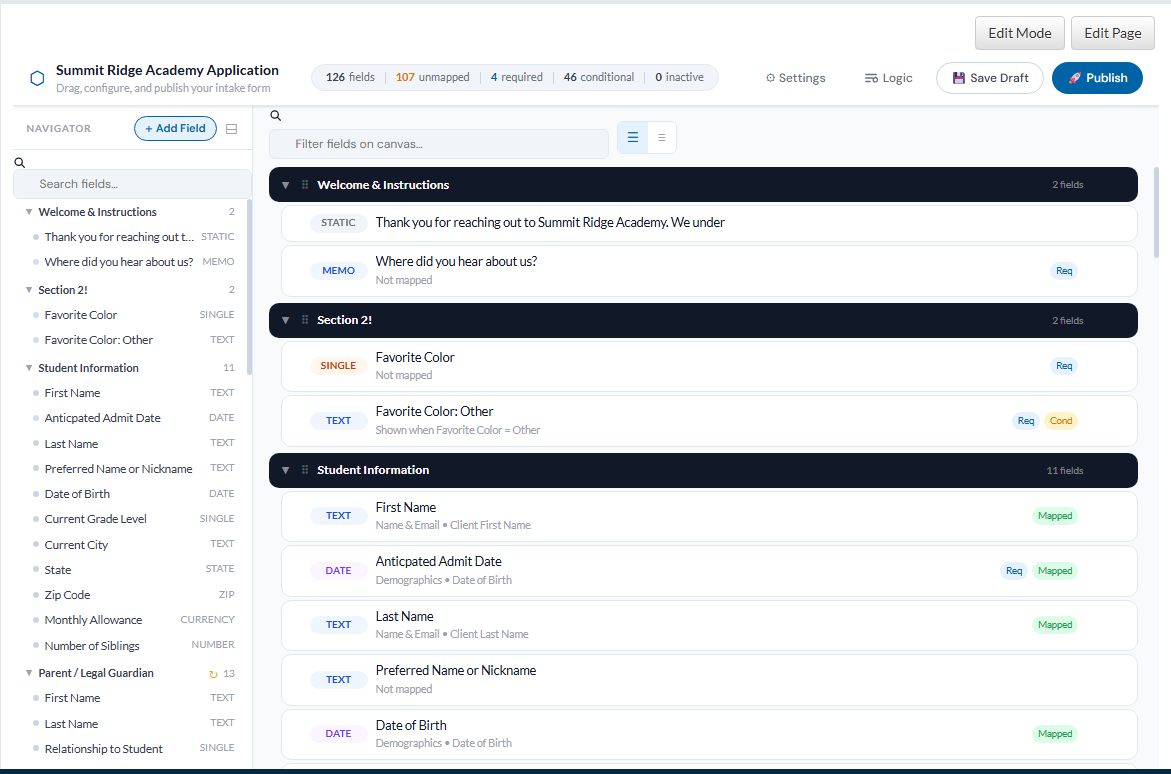
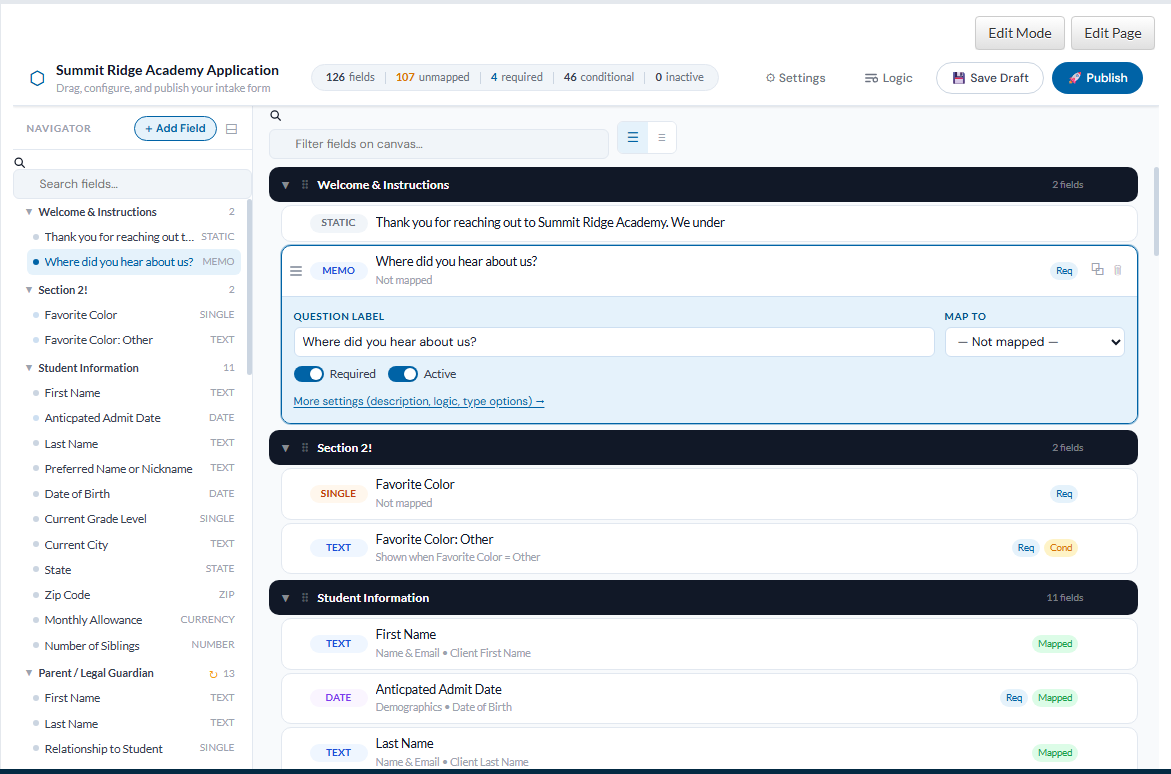
This is the real builder, running on a sample application. Search the navigator, click a field to edit it inline, drag a section, open Logic, publish. Nothing is saved.
What it does
- Navigator
- The whole application as an outline. Search it, collapse it, jump to any field.
- Canvas
- Sections of field cards. Edit the label, required and active flags, and the chart mapping without leaving the card. Drag to reorder.
- Logic
- Show a question only when another answer calls for it. Forty-six of the sample's fields are conditional, and the Logic view lists every rule in one table.
- Mapping
- A field can point at a chart field: first name, date of birth, a parent's phone. A submission creates the inquiry record with those filled, and attaches the uploads.
- Publish
- Save Draft keeps working copies. Publish is what families see on the program's public site.
Screens
Click to enlarge.
How it was built
The builder is a single static page: one script, one stylesheet, no framework. It reads and writes a JSON template that a second component, the interpreter, renders as the public form. A post-save formula maps submissions into the record.
Because it is self-contained, the copy above is the production code, fed a sample template and a stand-in backend.